
If you're using NordVPN and finding that your email client can't connect, whether that's Outlook, Thunderbird, Apple Mail, or similar, the issue is most likely related to which VPN protocol NordVPN is using rather than your email settings themselves.
Why does this happen?
NordVPN's default protocol, NordLynx (based on WireGuard), is optimised for speed and general browsing but can interfere with certain types of traffic, including the IMAP and SMTP connections that email clients rely on. Switching to OpenVPN often resolves this, as it handles a broader range of traffic more reliably.
How to fix it
Open NordVPN and go to Settings → General. Locate the VPN Protocol dropdown (you'll see it set to NordLynx by default) and change it to OpenVPN (UDP). If UDP doesn't resolve the issue for you, try OpenVPN (TCP) as an alternative — TCP is slightly slower but more reliable on certain network configurations.
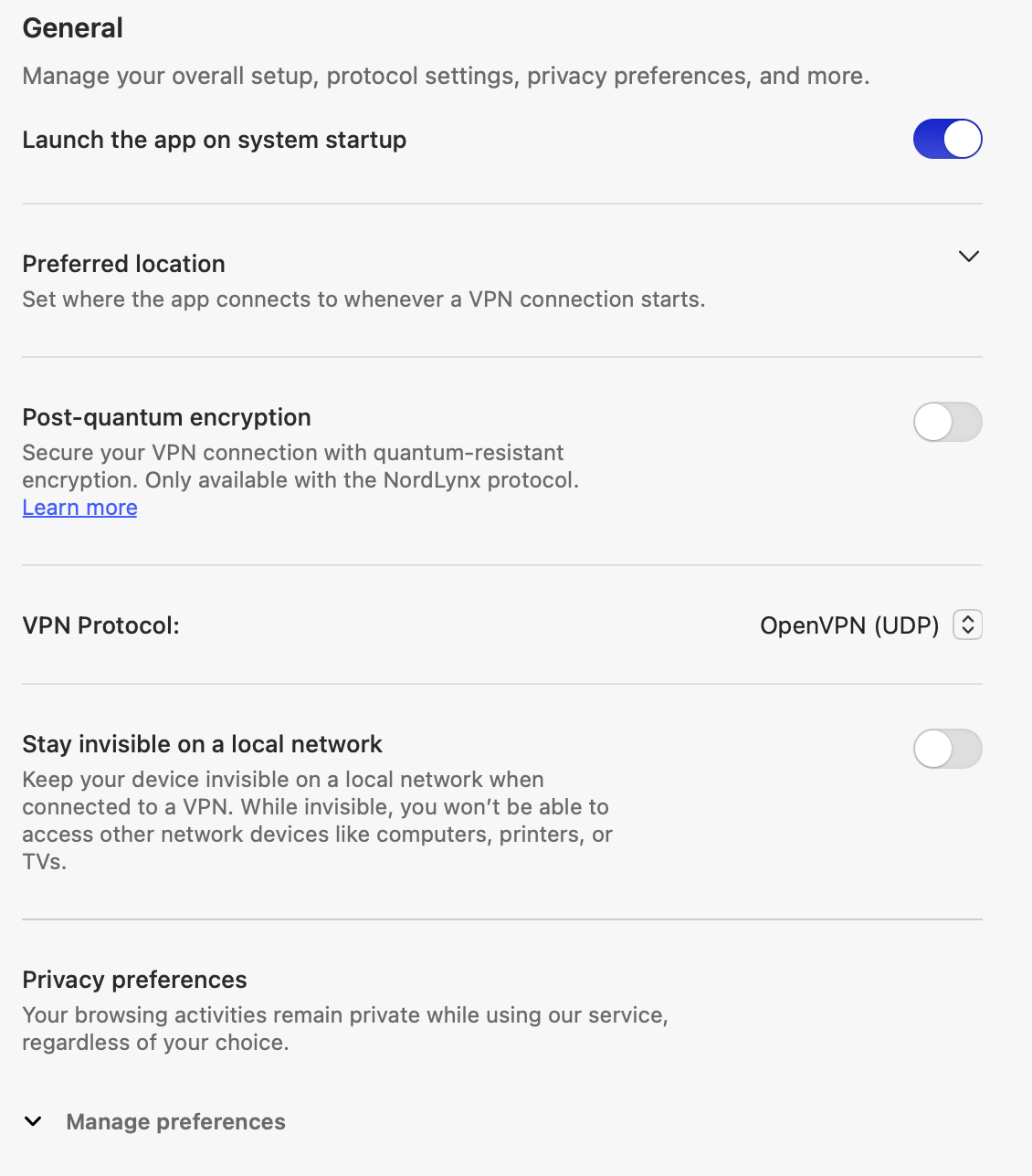
Once changed, reconnect to your VPN server and test your email client again. In most cases this resolves IMAP/SMTP connectivity immediately without any changes needed on the email side.
Still having trouble?
If switching to OpenVPN doesn't help, it's worth temporarily disabling NordVPN entirely to confirm your email settings are correct first. If email works with the VPN off but not on, the issue is definitely VPN-related and you may want to try a different NordVPN server location, or contact NordVPN support team so we can check or contact our team to verify your mailbox settings directly.